Schedule Discord messages that send themselves.
Discord has no built-in scheduler. MsgPlanner is the bot that adds one: announcements, reminders and event posts sent at the right time, in your server’s timezone.
Add to Discord Free plan, no expiry: 3 schedules per server. Elite unlocks everything, $2.99 a month.
@Raiders rally starts in 1 hour. Gather at the flag, leaders online at 18:45.
@everyone game night is on in #game-night. New players welcome, bring a friend.
Up and running in three steps
- Add the botOne click from Discord, with the permissions listed before you confirm.
- Open dashboardOr stay in Discord and use the slash commands.
- Create your first scheduleDestination, message, timing. You see the next activations before you save.
What changes on Monday morning
The same server, with and without a bot that owns the clock.
Without MsgPlanner
- Someone sets an alarm to post the raid reminder at 3 AM.
- The weekly programme goes out when a mod remembers, in their timezone.
- The announcement lands but nobody presses “Publish” for the followers.
- The rules reminder is pasted from a notes app, formatting and @role pings lost.
- Old reminders pile up in the channel until someone deletes them.
With MsgPlanner
- The reminder goes out at 3 AM in the server’s timezone. Nobody is awake.
- The programme posts every Monday at 9:00, with the next dates previewed before you save.
- Every delivery to an announcement channel is published to followers automatically.
- Templates keep the formatting, @role and @everyone pings and embeds exactly as previewed.
- Each delivery can delete itself, or the schedule keeps only the latest copy.
Built for servers that run on a schedule
Three ways to say “when”
Every schedule runs in the IANA timezone you pick, with daylight saving handled automatically.
One-time: an exact moment
A single message at the precise date and time you set, with second-level precision. Several messages scheduled close together arrive in the order you planned. Launches, countdown drops, coordinated announcements.
Recurring: every N, set and forget
Every 45 minutes, every 6 hours, every 3 days. You choose the interval, the start and the end, and an optional DST setting keeps the wall-clock time steady across clock changes. Recurring messages guide.
Calendar: when the calendar says so
Every Monday at 9:00, the 1st and the 15th, a true last day of the month, several times a day, time windows, the third Friday. Cron-grade patterns with no cron to write, and a guided wizard if you’d rather not think in rules. Calendar scheduling guide.
An editor that writes real Discord messages
What you type is what Discord shows. The editor works both visually and as raw Discord markdown: headings, lists, quotes, spoilers, code, with mentions and channel references autocompleted and your server’s emojis.
Dynamic timestamps let one message always show the next delivery in each reader’s own local time. The full support matrix is on the message editor page.

An embed builder that actually delivers
Up to 10 embeds per message, 25 fields each, with author, footer, thumbnail, main image and colours, previewed pixel-close to the real thing.
Standalone embed tools stop at building the message. Here the same embed is scheduled, delivered on time and repeated for as long as you want, by a bot that already lives in your server. See the embed builder.

Delivered anywhere, and tidy afterwards
Forum posts and threads included
Pick the post or thread as the destination and schedule normally. Almost no other bot covers this. Details in scheduled messages in forum channels.
Announcements that publish themselves
Every delivery to an announcement channel is crossposted to the servers following it the moment it lands. It needs the Manage Messages permission on the channel, which new installs already have.
Messages that clean up after themselves
A delivery can delete itself after a delay you choose, from 1 minute to 30 days, or a recurring schedule can keep only its latest message. No extra permissions needed.
Templates, backup and migration
Save up to 100 reusable message templates per server, and move entire setups between servers with full export and import: schedules, templates and their images travel in one file. Exporting is free; importing is an Elite feature.
With template rotation, one recurring schedule cycles through a list of templates, in order or shuffled: tips of the day, rotating rules, weekly spotlights. Details on templates and backup.
Switching from another bot? Keep it running while you rebuild your schedules here: nothing conflicts, and you remove the old one when the last reminder has moved.
Bot and dashboard speak 11 languages, and every schedule runs in the IANA timezone you pick.
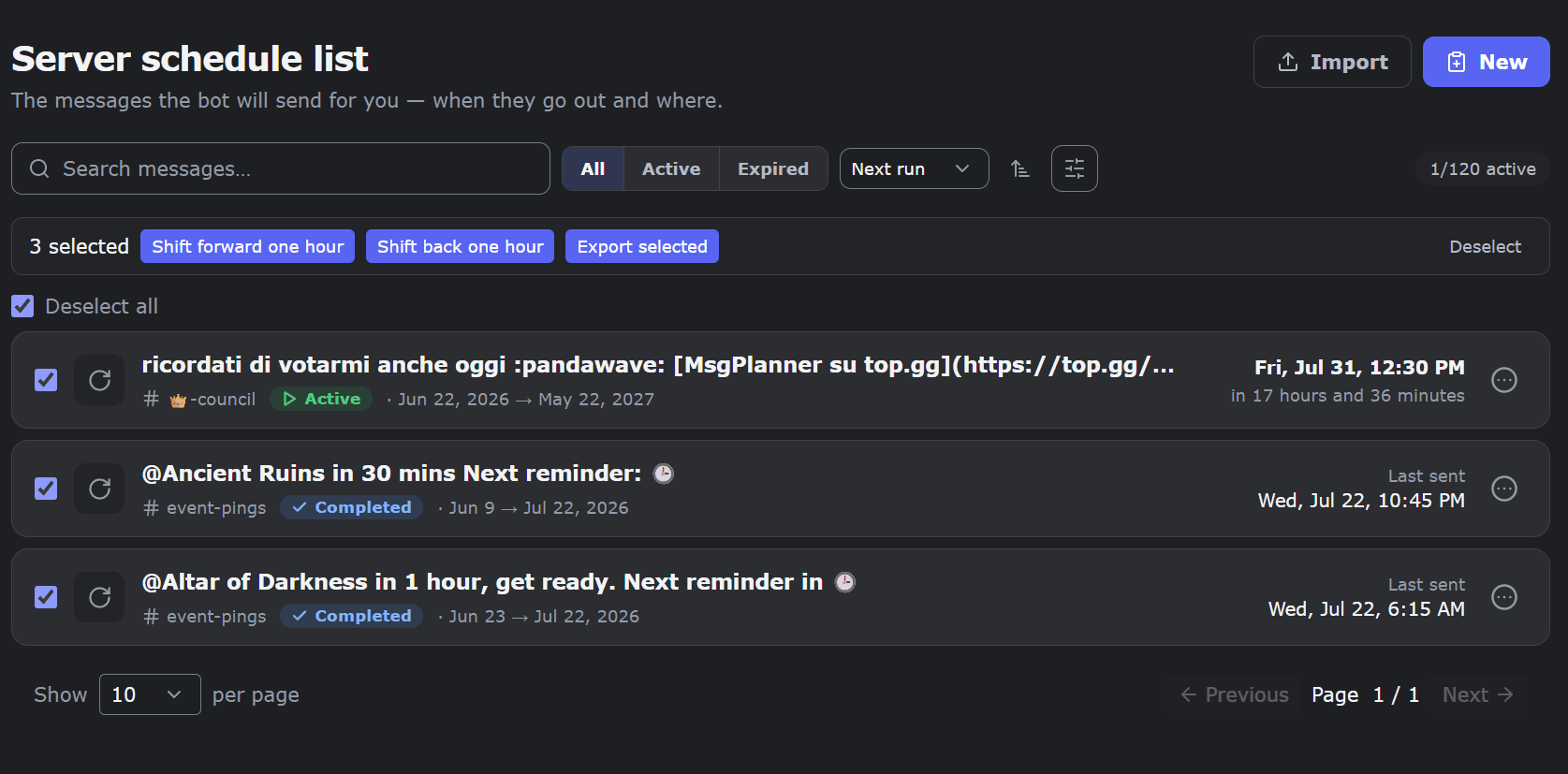
Free plan, fair upgrade
The free plan has no expiry. One paid plan, no tiers and no add-ons: Elite unlocks every feature and the full limits for $2.99 a month per server.
Free $0, no expiry
- 3 active schedules per server
- 200 characters per message, 1 image
- All three schedule types, any timezone
- Forum posts, threads, auto-publish, auto-clean
- Export of your schedules
Elite $2.99 / month / server
- Everything unlocked: every feature, full limits, one price
- 120 active schedules per server
- 4,000 characters, 10 images, up to 10 embeds
- 100 templates, rotation, backup import
- Suspend and resume, custom bot name and avatar
- Two-week free trial, once per server
Good to know
Two-week trial. Every server gets Elite free for two weeks, once, from the bot with /subscription_status.
Elite by voting. 40 top.gg credits = 1 week of Elite, up to 16 weeks a year. An active community keeps Elite without paying.
Nothing is deleted. When Elite ends, schedules over the free limit pause until you are back under it.
Billed by Discord. Subscription, renewal and refunds are handled in your Discord settings.
MsgPlanner at a glance
The whole feature set on one screen, for anyone comparing bots.
| Scheduling | |
|---|---|
| Schedule types | One-time, recurring (every N minutes, hours or days), calendar rules up to a true last day of the month |
| Timing precision | Down to the second, per-schedule IANA timezone, automatic DST handling |
| Messages | |
| Message editor | Visual and raw Discord markdown, mentions with autocomplete, server emojis, dynamic timestamps. Full matrix |
| Embeds | Up to 10 per message, 25 fields each, previewed identical to Discord. Embed builder |
| Attachments | Up to 10 images per message (8 MB each), spoiler support, external image URLs |
| Destinations | Text, announcement, stage, threads, forum posts |
| Delivery and management | |
| After delivery | Auto-publish to channel followers, auto-clean (delete after a delay, or keep only the latest) |
| Delivery identity | Custom bot name and avatar per server (Elite) |
| Templates and backup | 100 templates per server, rotation on a schedule (Elite), full export and import |
| Management | Web dashboard and full in-Discord management, suspend and resume, send now, permission diagnostics |
| Languages | English, Japanese, Korean, Traditional Chinese, Italian, French, Spanish, Portuguese, German, Russian, Turkish |
| Plans | Free with no time limit, Elite $2.99 a month per server, earn Elite by voting |
Frequently asked questions
Short answers to what people ask before adding the bot.
Can I schedule messages on Discord?
Not natively — Discord has no built-in scheduler. MsgPlanner adds one-time, recurring and calendar scheduled messages with a visual editor and a free plan.
What are automated messages?
Pre-scheduled communications sent automatically at a set time: analogous to announcements, reminders and recurring updates. You write them once; delivery happens on schedule, even while you’re offline.
What makes MsgPlanner the best message planner for Discord?
It is the only bot that combines full scheduling (one-time, recurring, calendar with cron-grade rules), a complete embed builder (10 embeds, 25 fields), a visual editor with live preview, and delivery to threads and forum posts — in 9 languages, with a free plan.
Can it post in forum channels and threads?
Yes. Choose the forum post or thread as the destination; delivery works like any other channel.
Do scheduled messages send if I’m offline?
Yes. The bot delivers from its own servers — your presence is irrelevant.
How many embeds and fields are supported?
Up to 10 embeds per message and 25 fields per embed — Discord’s own maximums.
Is there a free plan?
Yes, with no time limit: 3 active schedules, 200 characters and 1 image per message. Elite costs $2.99/month per server.
Can I get the premium plan for free?
Yes — vote for MsgPlanner on top.gg: 40 credits = 1 week of Elite, up to 16 weeks per year per server.
What timezone do scheduled messages use?
The IANA timezone you pick for each schedule; daylight saving is handled automatically.
Can MsgPlanner publish announcements automatically?
Yes. With auto-publish enabled, every delivery into an announcement channel is crossposted to the servers that follow it — no one has to press “Publish”.
Can scheduled messages delete themselves?
Yes. Auto-clean deletes each delivery after a delay you choose (1 minute to 30 days), or keeps only the latest message of a recurring schedule.
Can one schedule send different messages each time?
Yes — template rotation (Elite): a recurring schedule cycles through your saved templates, in order or shuffled, without repeating one until all have been sent.
Stop being the alarm clock.
Add MsgPlanner, create your first schedule from the dashboard or from Discord, and let the server post on time without you.